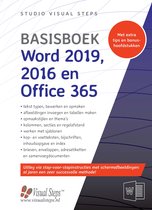
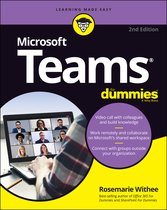
Microsoft Teams For Dummies
Samenvatting
Microsoft Teams—your complete virtual office
For anyone looking to skip the long commute to their physical office, Microsoft Teams provides an all-in-one remote work experience that lets you do it all: share files, chat, set up and run video meetings, and tons more. Master the interface, muffle background noise in meetings (in case those kids and dogs won’t keep quiet), and find best-practices recommendations and tips on making the most of your Microsoft Teams experience.
Inside. . .
- Seamlessly share files
- Set up video calls
- Connect Teams to other Office apps
- Work with large and small teams
- Invite guests from outside your organization
- Collaborate on the go with mobile
- Use Teams for your child’s remote learning
- Organize family events and activities
Work seamlessly together with Microsoft Teams
It was only a matter of time before Microsoft 365 built an actual virtual office. And Microsoft Teams is it, rocketing from 13 to 75 million daily users in a single year. The new edition of Microsoft Teams For Dummies gives you an in-depth introductory tour through the latest version of the app, exploring the many different ways you can chat, call, meet, work remotely, and collaborate with others in real time—whether you're using it as an all-in-one tool for working from home or as an extension to your brick-and-mortar office. Available as a stand-alone app or as part of Microsoft 365, it allows you to work seamlessly with almost any other Microsoft app.
The friendly onboarding provided by this book takes you from the basics of file-sharing, organizing teams, and using video to must-have insights into less obvious functionality, such as posting the same message to multiple channels, muffling background noise (useful if you're working from home!), and choosing more than one feed to concentrate on when video-conferencing (allowing you to pay attention to the speaker and your team members at the same time). As well as clueing you in on how things work, you'll also find advice on the most effective ways of using them, with best-practices recommendations and tips on integrating Microsoft Teams into your existing workflows.
- Set up the interface
- Communicate on chat and video, inside and outside your org
- Integrate Microsoft Teams with your other Office apps
- Optimize your approach to meetings, working across large teams, and more!
Whether you're using Microsoft Teams for work, within your family, or for a collaborative hobby, you'll find everything you need to get everyone on the same page in the same virtual room.
Productspecificaties
Inhoud
- Taal
- en
- Uitvoering
- Paperback
- Oorspronkelijke releasedatum
- 24 mei 2021
- Aantal pagina's
- 320
- Illustraties
- Nee
Betrokkenen
- Hoofdauteur
- Verteller
- Hoofduitgeverij
Informatie over de fabrikant
- Fabrikantgegevens
- De informatie van de fabrikant is momenteel niet beschikbaar.
Overige kenmerken
- Editie
- 2
- Porno
- Nee
- Product breedte
- 185 mm
- Product hoogte
- 25 mm
- Product lengte
- 234 mm
- Studieboek
- Ja
- Verpakking breedte
- 184 mm
- Verpakking hoogte
- 21 mm
- Verpakking lengte
- 228 mm
- Verpakkingsgewicht
- 733 g
EAN
- EAN
- 9781119786221
Productveiligheid
De verantwoordelijk marktdeelnemer in de EU zorgt voor het nakomen van verplichtingen op het gebied van productveiligheid.
Je vindt dit artikel in
- Categorieën
- Boek, ebook of luisterboek?
- Beschikbaarheid
- Taal
- Type boek
Documenten
Reviews
Kies gewenste uitvoering
Bestellen en betalen via bol
Prijs inclusief verzendkosten, verstuurd door momox
30 dagen bedenktijd en gratis retourneren via mijn bol
Bekijk ook eens



Anderen bekeken ook
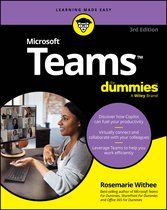



Handboek - Handboek Microsoft Teams

Handboek - Handboek Microsoft Teams